Table of Content
Can a Nigerian sign up on Upwork?
How to sign up on Upwork as a freelancer
Step-by-step: Setting up Cleva for Upwork payments
Why Nigerian Upwork freelancers choose Cleva
Making the most of your Upwork earnings
Introduction
Grace used a foreign freelancing account for months and even changed her location to the U.S. Like many Nigerian freelancers on Upwork, she did this to avoid stereotypes and because receiving payments directly in Nigeria used to be difficult. Still, it never felt right. So she deleted the account and started again using her real identity as a proud Nigerian.
Two weeks after creating her new Upwork account, Grace landed her first job as a virtual assistant. She was so excited she couldn’t stop praying that the client would be real and that her order wouldn’t get cancelled. Her prayers were answered, and that client still works with her today. But after getting paid, she faced a familiar problem. Getting her earnings into Nigeria meant relying on middlemen, dealing with delays, and losing a chunk of her income to fees.
The question Grace faced after landing that first gig is the same one confronting Nigerian freelancers today: “I’ve earned the money, but shouldn’t there be a way to receive it into my Nigerian bank account without losing half of it to fees?”
Grace’s story resonates with thousands of Nigerian freelancers navigating Upwork and remote work opportunities.
With Nigeria, Kenya, and South Africa collectively representing 17.5 million online gig workers, in a region with approximately 21.7 million total gig workers, finding efficient payment solutions is no longer optional, it’s essential.
This guide shows you exactly how to receive your Upwork payments in Nigeria seamlessly in 2025 using Cleva.
Can a Nigerian sign up on Upwork?
Absolutely! Nigerians can sign up on Upwork as freelancers and have been successfully doing so for years. The platform doesn’t discriminate based on location. What matters is your skills, professionalism, and ability to deliver quality work. However, the real challenge isn’t getting on Upwork; it’s getting your money off it and into your Nigerian bank account efficiently.
How Upwork payments work
Before diving into solutions, let’s understand how Upwork handles payments for freelancers. Once a client approves your work and releases payment, Upwork holds the funds in your account. From there, you have several withdrawal options:
1. Direct to local bank
Upwork can convert your earnings to Naira and send them directly to your Nigerian bank account. The problem? Conversion rates are typically unfavourable, and processing can take up to 5 business days. By the time your money arrives, you’ve lost a significant chunk to poor exchange rates.
2. Paypal
While PayPal works in Nigeria for receiving payments, withdrawing funds to your local bank involves multiple steps, additional fees, and frustrating delays. Many freelancers report waiting days for funds to clear, and the fees quickly add up.
3. Payoneer
A popular choice among Nigerian freelancers but it still charges withdrawal fees and offers exchange rates that aren’t always competitive. Plus, there are minimum withdrawal amounts and processing times to consider.
4. Wire Transfer
Reliable for large sums, but wire transfers typically involve substantial banking fees from both the sending and receiving banks. For smaller payments, these fees can eat up a large percentage of your earnings.
The common thread is that all these methods reduce your earnings through fees, poor exchange rates, or both. After working hard to land clients, craft proposals, and deliver excellent work, watching your earnings shrink during withdrawal is frustrating. This is exactly why Nigerian freelancers are turning to Cleva.
How to sign up on Upwork as a freelancer
For those new to freelancing, here’s a quick overview of how to sign up on Upwork:
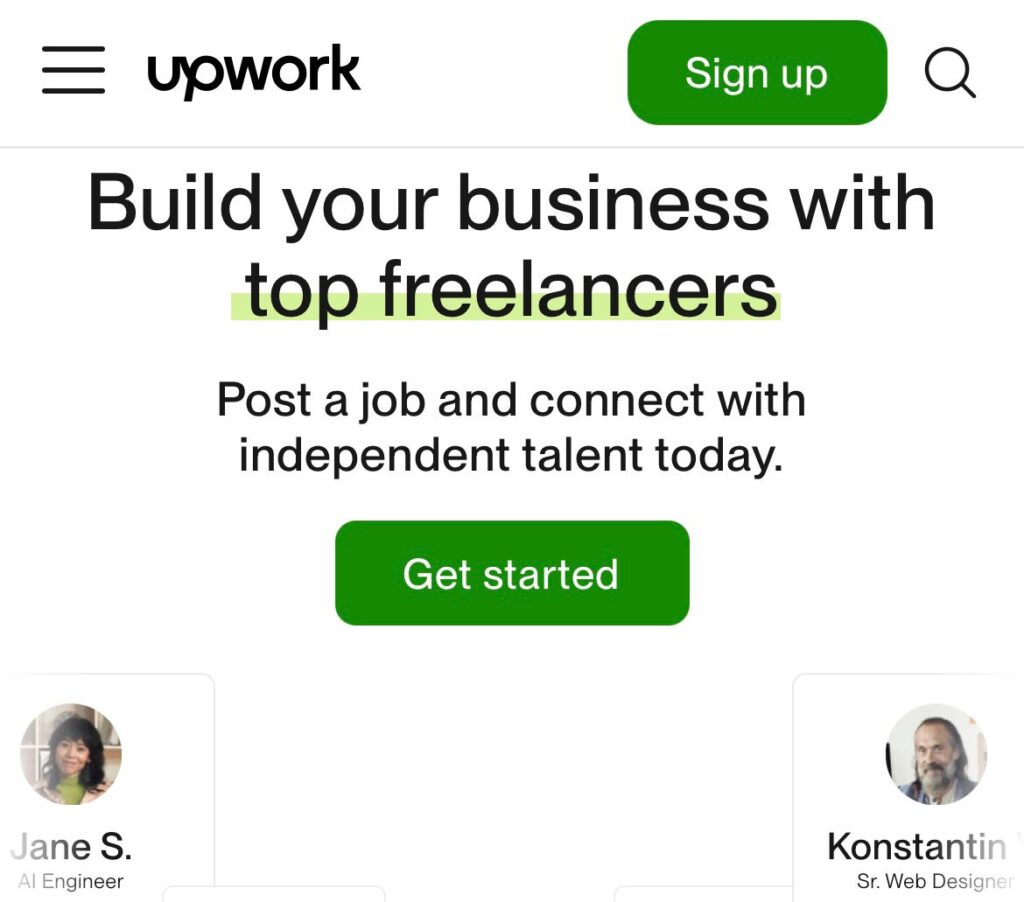
- Visit Upwork.com and click “Sign Up.”
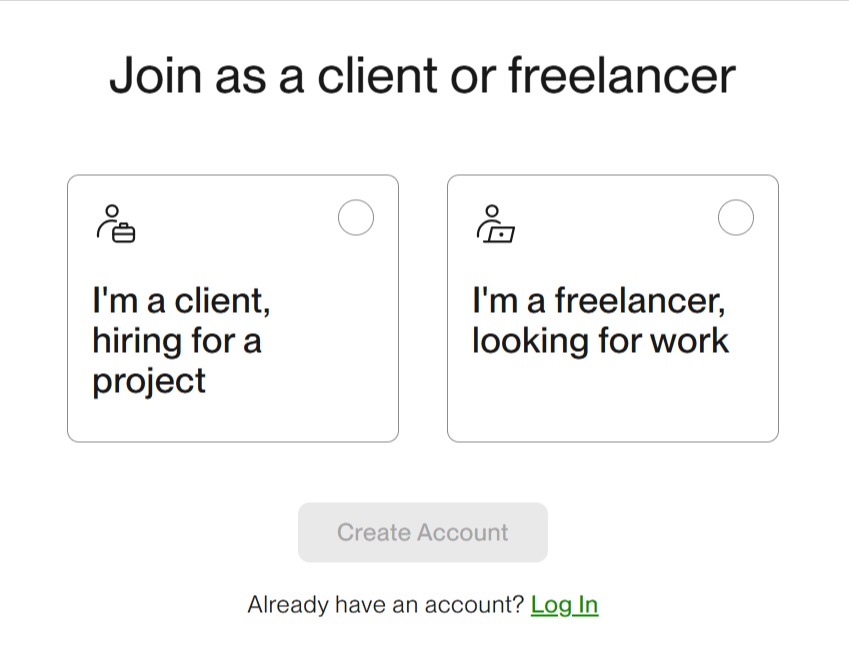
2. Choose “I’m a freelancer looking for work” and create your account using your email address.
3. Complete your profile by adding a professional photo, writing a compelling overview that highlights your skills and experience, and uploading portfolio samples that showcase your best work.
4. Select your professional categories and set your hourly rate or project prices.
5. Verify your identity by submitting required documentation. Upwork requires this for security and payment purposes. Once approved, you can start browsing jobs and submitting proposals.
The key to success on Upwork as a Nigerian freelancer isn’t just creating an account, it’s positioning yourself strategically, building a strong portfolio, personalizing your proposals, and most importantly, having a reliable system to receive your payments efficiently.
Step-by-step: Setting up Cleva for Upwork payments
Getting started with Cleva takes 1-3 days from signup to receiving your first payment. Here’s the complete process:
Step 1: Create your Cleva account
Visit Cleva’s website or download the Cleva app from the Google Play Store or Apple App Store. Click “Sign Up” and register using your email address and phone number. The entire registration process takes about 3-5 minutes.
Step 2: Complete identity verification
For security and regulatory compliance, Cleva needs to verify your identity. To do this, you need to submit your BVN and upload a clear photo of any government-issued ID. Your international passport, driver’s license, voter’s card, or National Identification Number all work. Finally, you’ll take a quick selfie for facial recognition verification.
The verification process is typically completed in minutes. You’ll receive an email notification once your Cleva account is approved.
Step 3: Get your US bank account details
Once verified, request for a US-based USD account which you will get on the same day. Once you get an email that your USD account has been created, open your Cleva app and navigate to your dashboard. You’ll see your complete US account information including your account number and routing number.
Step 4: Link Cleva to your Upwork account
Now comes the crucial part, connecting your Cleva account to Upwork.
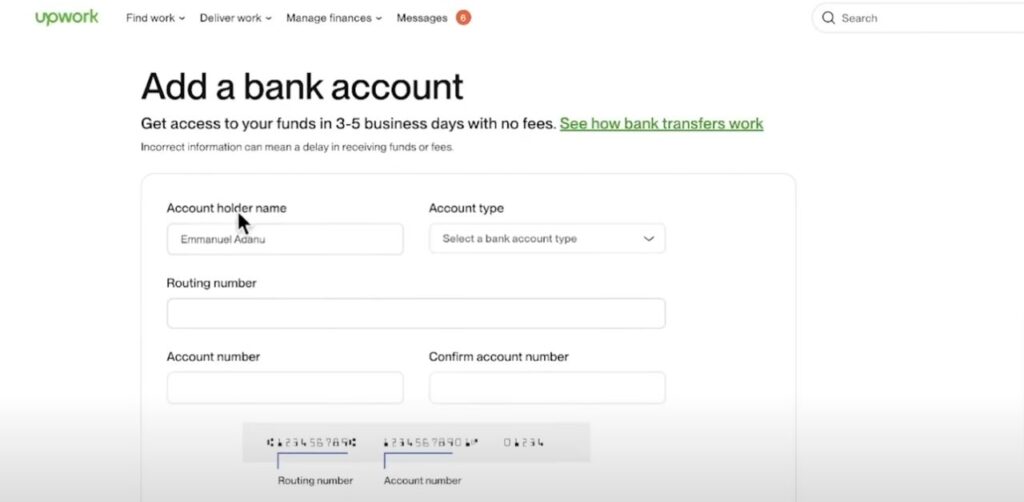
Log into your Upwork account and navigate to Settings, then click on “Get Paid.” Click on “Add a withdrawal method.” Choose “Direct to a US Bank (USD)” as the withdrawal method and enter your Cleva account’s details. Click on “Add bank account” to complete the process. Upwork may take 1-2 business days to verify your bank details, after which your account will be ready to receive payments.
Step 5: Receive and manage your payments
Once your payment method is set up, click on “Get Paid” to withdraw your earnings. Enter the amount you want to transfer to your Cleva account, then confirm the transaction. Standard processing timeline for Upwork is within 1-3 business days. You’ll receive an email on your phone when payments arrive.
From there, you can convert to naira instantly at competitive exchange rates with zero deposit fees. Simply tap the convert button, enter the amount, and watch your naira balance update at a fast rate. Transfer to any Nigerian bank account easily whenever you need it for expenses.
Why Nigerian Upwork freelancers choose Cleva
Cleva provides Nigerian freelancers with a real US-based bank account that works seamlessly with Upwork and other international payment platforms. Think of it as having an American bank account without ever leaving Nigeria. There’s no visa required, no complicated paperwork and no expensive setup fees.
Here’s how Cleva is transforming how Nigerian freelancers receive Upwork payments:
1. Real US bank account details
Cleva gives you an actual US bank account with an account number and routing number in your name, which you can create from the comfort of your home. When platforms like Upwork ask where to send your money, you simply provide your Cleva details and payments arrive directly in your USD account.
2. Zero Upwork deposit fees
This is perhaps your biggest advantage of using Cleva. While other platforms charge 1-3% or more to receive your Upwork deposit, Cleva charges zero deposit fees. This means that every dollar you earn on Upwork stays in your pocket.
3. Fast transfers
Once your Upwork payment hits your Cleva USD account, you can convert to naira and transfer to any Nigerian bank account in minutes not days. Need money urgently? Cleva delivers.
4. Works for all income sources
Beyond Upwork, use your Cleva account for payments from other freelance platforms like Toptal, Fiverr, or direct international clients. Moreover, one account handles all your remote work earnings.
5. Available across Africa
While built with Nigerian freelancers in mind, Cleva now also serves professionals in Ghana and Uganda. If you work with freelancers in other African countries, Cleva keeps cross-border transactions simple.
6. Cleva virtual dollar card
Spend your Upwork earnings directly without converting to naira first. Pay for software subscriptions, online courses, domain hosting, or any international purchase your freelance business needs.
7. Bank-level security
Cleva is backed by Y Combinator and registered with FinCEN (Financial Crimes Enforcement Network in the US). Your earnings are protected by the same security standards as major American financial institutions.
8. No hidden fees
Opening your Cleva account costs you nothing. There are no monthly maintenance charges or minimum balance requirements. When you receive deposits, you also enjoy some of the lowest fees in the industry, so you keep more of what you earn. To see exactly how much you’ll be charged, you can check our pricing calculator.
9. Cleva Points rewards
You get the opportunity to earn more on top of your Upwork deposits through Cleva’s points system. These points can be redeemed as USD which you can spend or withdraw.
10. Mobile-first experience
Manage your entire financial life from your phone. Check balances, convert currencies, send transfers, and track Upwork payments anywhere with internet connection.
Making the most of your Upwork earnings
Landing clients and receiving payments efficiently is just the beginning. Here are strategies successful Nigerian Upwork freelancers use to maximize their earnings:
1. Specialize in high-demand skills
Data shows Nigerian freelancers charge an average of $163 per job on Upwork, significantly less than freelancers from Australia ($594.56) or the UK. While competitive pricing helps you land initial clients, developing specialized skills in areas like software development, digital marketing, or technical writing allows you to command premium rates.
2. Build strong client relationships
Delivering consistent quality and professional communication can turn first-time clients into long-term partners. Long-term clients provide steady income and reduce the time spent hunting for new projects.
3. Maintain professional standards
Clear communication, and delivering work on time builds your reputation. With millions of freelancers on Upwork, your five-star reviews and client testimonials become your most valuable marketing tools.
4. Re-invest in your skills
Use a portion of your Upwork earnings to take courses, buy better equipment, or subscribe to professional tools that improve your service quality. Freelancers who continuously upgrade their skills consistently out-earn those who stagnate.
5. Save strategically
Keep a portion of your earnings in your Cleva USD account as savings. This protects you from naira volatility and creates an emergency fund for slower months.
Your next step
The remote work and freelancing economy is booming in Nigeria, and Upwork remains one of the best platforms for accessing international clients. However, earning the money is only half the equation. Receiving it efficiently determines how much actually ends up in your pocket.
Cleva removes the payment barriers that have frustrated Nigerian freelancers for years. No more watching helplessly as fees and poor exchange rates shrink your hard-earned income.
Ready to receive your Upwork payments seamlessly?
Create your free Cleva account today and join thousands of Nigerian freelancers who’ve solved the payment problem once and for all.
Have more questions about receiving Upwork payments in Nigeria through Cleva? Contact Cleva’s support team or connect with us @clevabanking on X , Tiktok, Instagram and LinkedIn.
Share this article