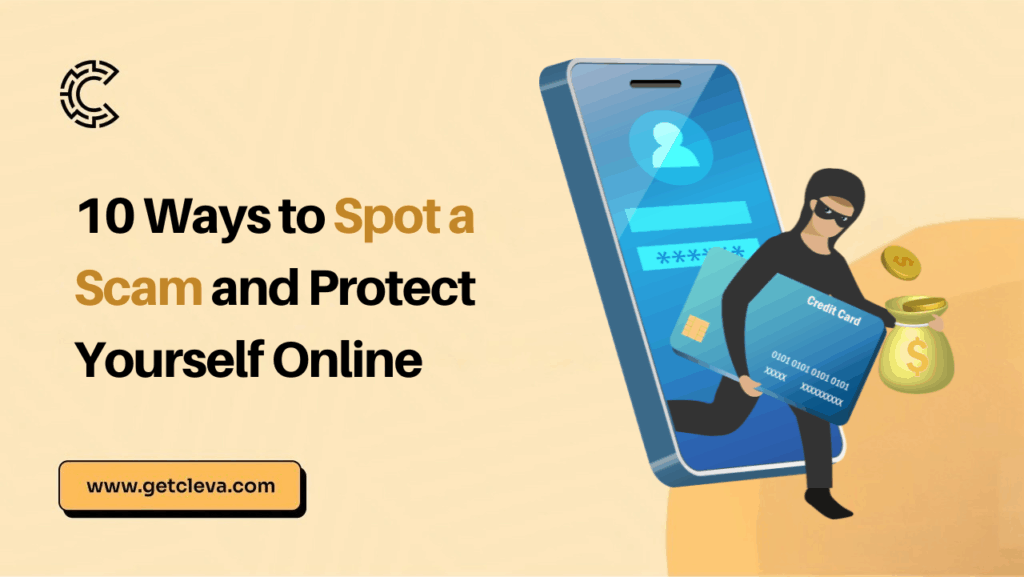
Scams don’t always look like scams. Knowing how to spot a scam can help you protect your money, information and online accounts before it’s too late.
A message can appear to come from your bank. A social media account can look like a real brand. A website can have the right logo and colours. Someone can even call you claiming to be customer support.
The goal is usually the same: get you to reveal sensitive information, give someone access to your account, click a malicious link, download something harmful or send money.
That’s why online security isn’t only about spotting suspicious emails. It’s about building habits that protect you across email, SMS, WhatsApp, social media, banking apps, fintech apps and websites.
Here are 10 simple ways to stay safer online.
1. Don’t share your password, PIN or OTP
Your password, PIN and one-time password (OTP) are yours.
Don’t share them with anyone who contacts you, even if they claim to be from your bank, fintech, workplace or another company.
Be especially careful when someone says they need your OTP to:
- Verify your identity
- Help you receive money
- Reverse a transaction
- Unlock your account
- Complete a refund
- Secure your account
If you’re asked for a security code you weren’t expecting, stop and verify what’s happening through the company’s official app or website.
Remember: Never give someone your password or OTP just because they ask for it.
2. Turn on two-factor authentication
A password is one layer of protection. Two-factor authentication (2FA) adds another.
Where possible, enable 2FA or multi-factor authentication (MFA) on your:
- Email account
- Banking and financial accounts
- Social media accounts
- Work accounts
- Cloud storage
- Shopping accounts
- Other important online services
If an account supports an authenticator app, consider using one rather than relying only on SMS codes.
Authenticator apps generate time-based security codes on your device, giving your account an additional layer of protection. For your most important accounts, especially your primary email, financial accounts and password manager, don’t leave 2FA turned off if the service supports it.
3. Don’t click links just because a message looks legitimate
One important way to spot a scam is to be cautious with unexpected links. A scam link can appear in an email, SMS, WhatsApp message, social media DM or even a comment.
The message might say:
Your account has been locked. Click here to restore access.
Or:
Your payment is waiting. Click to confirm.
Or:
You’ve been selected for a special offer.
Don’t click immediately. Instead, open the company’s official app or type its website address yourself. If the message claims to be from your bank, fintech or a delivery company, don’t use the link provided.
Instead, open the organization’s official app or type its website address yourself and check for any notifications or updates there. Don’t let a message choose where you log in.
4. Check who is actually contacting you
Don’t trust a message simply because the display name says “Customer Support” or “Your Bank.”
Check the details. Confirm the full sender address for emails, the username and account history on social media, and the phone number or profile details on messaging apps like WhatsApp.
Scammers can impersonate people and organisations, so when something feels unusual, verify the person through another trusted channel.
5. Be suspicious of urgency and pressure
One of the easiest ways to spot a scam is to notice how the message makes you feel.
Does the message make you panic or pressure you to act immediately? Be cautious if it threatens to close your account, imposes a penalty for not responding, or warns that you’ll lose money unless you act now.
Stop. Urgency is often used to prevent you from thinking carefully.
A legitimate problem can usually be checked through the company’s official app, website or support channel. Take the extra minute to verify before you act.
6. Don’t reuse the same password everywhere
Using one password for everything may be convenient, but it creates a bigger problem if that password is exposed.
Imagine you use the same password for your email, Instagram and financial account. If someone gets that password from one service, they may try it on your other accounts. Instead, use unique passwords for important accounts.
You don’t have to memorise dozens of passwords yourself. A reputable password manager can create and store strong, unique passwords for you.
Your email account deserves particular attention because access to your email can sometimes be used to reset passwords for other accounts.
7. Don’t download apps or files from random links
A message may tell you to download an app, document or software update. Don’t assume it’s safe because someone sent it to you.
Be particularly careful with messages asking you to install:
- Remote-access software
- “Security” apps
- Unknown APK files
- Unofficial versions of apps
- Files you weren’t expecting
- Browser extensions from unknown sources
When you need an app, download it from an official app store or the company’s official website. When you need software, go directly to the developer’s website rather than using a random download link.
8. Check the website before entering your information to spot a scam
A website can look professional and still be fake.
Before entering your password, card details or personal information, check the website address.
Look for:
- Misspelled domain names
- Strange domain extensions
- Extra words or characters in the domain
- Unexpected redirects
- URLs that don’t match the company you’re trying to visit
Also remember that HTTPS alone does not prove a website is legitimate. A scam website can also use HTTPS.
The safest approach is to access important services through their official app or by manually entering a website address you already know.
9. Protect your card information
Treat your card details like sensitive information.
Don’t casually share:
- Card numbers
- CVV
- PIN
- OTPs
- Screenshots showing your full card details
Be careful when someone asks you to send a picture of your card “for verification.” If you notice a transaction you don’t recognize, don’t ignore it.
Check the transaction through your financial service’s official app and contact the provider through its official support channel if necessary. If your card allows you to freeze it, use that feature when you suspect your card details may have been compromised.
10. Verify before you send money
This is one of the most important rules.
Before transferring money, ask:
“Who am I sending this to?” “Why am I sending it?” “Did I independently confirm the request?”
This is particularly important when someone suddenly asks you to send money to a new account.
For example, if someone claiming to be a friend messages you saying they urgently need money, call them using a number you already have rather than relying only on the message. If a supplier sends new bank details, verify the change through another trusted channel before making the payment.
If someone claims to be customer support and asks you to transfer money to “secure” your funds, stop. Verify the recipient before you transfer.
Bonus: Common scam messages to help you spot a scam
Scammers constantly change their stories, but many scams follow familiar patterns.
Be cautious when you receive messages like:
“Your account has been suspended.”
Don’t use the link in the message. Open the official app or website yourself.
“You’ve received a payment.”
Check your account directly. Don’t rely on a screenshot or message claiming that you’ve been paid.
“Your refund is waiting.”
Verify the refund through the company’s official platform before providing any information.
“You’ve won a prize.”
If you didn’t enter a competition, be especially suspicious.
“I’m from customer support.”
Don’t provide your password, PIN or OTP to someone simply because they claim to work for a company.
“Send this OTP to complete the transaction.”
Stop and check what transaction is actually taking place.
“Transfer your money to this account to keep it safe.”
Don’t do it. Verify the situation independently through your financial institution.
What should you do if you think you’ve been scammed?
Act quickly.
If you shared your password
Change it immediately.
If you’ve used that password anywhere else, change it there too.
If you shared an OTP or security code
Check your account immediately and contact the relevant service through its official support channel.
If your card details may have been exposed
Freeze or block the card if that option is available, then contact your financial provider through its official channel.
If you sent money
Contact your bank or financial provider as soon as possible and report the transaction.
If you downloaded a suspicious file
Don’t open it again. Run your device’s security tools and consider getting professional technical help if you believe your device may have been compromised.
If someone gained access to your account
Change your password, sign out of other sessions where possible, enable 2FA and review your account for suspicious activity.
A simple rule: Pause, Verify, Protect
You don’t need to memorise every scam to stay safer online.
Build a few simple habits:
Pause before clicking, paying or sharing information. Verify the person, message, website or request independently. Protect your accounts with unique passwords, 2FA, authenticator apps and other available security features.
The internet is full of useful tools, services and opportunities. You shouldn’t have to live in fear of using them.
Just remember: If something makes you feel rushed, pressured or unsure, stop and verify before you act.
Frequently Asked Questions
1. How can I tell if a message is a scam?
Look for warning signs such as unexpected requests, urgency, suspicious links, requests for sensitive information, unusual payment instructions or messages from people or organisations you weren’t expecting. When in doubt, verify the request through an official channel.
2. Is an authenticator app safer than SMS for 2FA?
Authenticator apps can provide an additional security option that doesn’t depend on receiving an SMS. Where a service supports multiple authentication methods, using a strong MFA option is generally better than having no second factor at all.
3. Can a scammer use WhatsApp to steal my information?
Yes. WhatsApp is simply a communication platform, and scammers can use it to impersonate people, send malicious links, request money or attempt to obtain sensitive information.
4. What should I do if I accidentally clicked a scam link?
Don’t panic. If you entered a password, change it immediately. For any financial information you shared, contact your financial provider through its official channel, and if you downloaded something suspicious, secure your device and seek technical assistance if needed.
5. Can a scam website look like a real website?
Yes. Scammers can copy the branding, colours, logos and layout of legitimate websites. Always check the actual website address and, for important services, access the website through a trusted route rather than a link in an unexpected message.
6. What is phishing?
Phishing is a scam technique where someone impersonates a legitimate person or organisation to trick you into revealing information, clicking a malicious link, downloading something or taking another harmful action.
Stay one step ahead
Online security isn’t about being suspicious of everything. It’s about developing habits that make it harder for scammers to trick you.
Don’t share your passwords. Use 2FA and authenticator apps where available. Don’t click suspicious links. Protect your card details. Use unique passwords. Verify unexpected requests. And when in doubt, pause.
At Cleva, keeping your money and account secure is a responsibility we take seriously. We use security measures to help protect your account and funds, but security works best when we do our part and you do yours too.
So, protect your login details, keep your devices secure, watch out for suspicious messages and links, and never share sensitive information with someone just because they claim to be from Cleva or another financial service.
We’ll keep doing our part to protect your money. Do yours by protecting your account. If you ever receive a suspicious message claiming to be from Cleva or need help with your account, reach us through our official channels:
- In-app support on the Cleva app
- Email: contact@getcleva.com
- Instagram: @clevabanking
- Facebook: @clevabanking
- X/Twitter: @clevabanking
- TikTok: @clevabanking
- LinkedIn: Cleva (YC W24)
When in doubt, don’t use the contact details provided in a suspicious message. Use the official Cleva app or one of the channels listed above to verify.
A few extra seconds of caution can protect you from a much bigger problem.
Share this article