Introduction
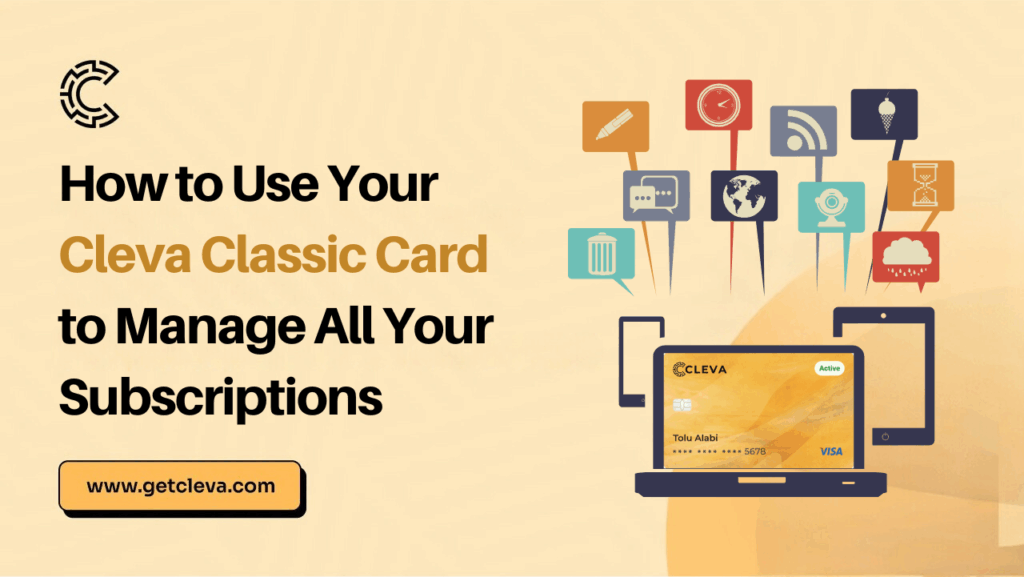
The Cleva Classic card is the tool most Nigerians didn’t know they needed, until a subscription fails at the worst possible moment. Your Figma freezes mid-project. Spotify logs you out during a commute. Netflix cuts off right before the season finale. It’s not just annoying; it disrupts your flow and, for professionals, it can cost you real money.
Here’s what’s actually happening behind the scenes: your local debit card simply doesn’t support this use case. It can’t process recurring USD charges, handle international merchant codes, or power the kind of seamless background billing that platforms like Adobe, Notion, or iCloud rely on. As a result, failed payments interrupt your workflow, constant top-ups waste your time, and account restrictions get in the way of getting work done.
The subscription habit isn’t shrinking either. According to a 2026 report, 78% of adults worldwide now have at least one paid subscription, and the average consumer holds 5.6 active subscriptions at any time. For Nigerians working in tech, design, media, or business, that number is likely higher, and those platforms almost always charge their fees in US dollars.
Cleva created the Classic Card to handle exactly this. It’s a USD virtual card that sits between you and every international subscription you run, making sure nothing falls through the cracks. In this guide, we’ll walk you through how to use it to take full control of your subscriptions, once and for all.
Why subscriptions keep failing on Nigerian cards
Before getting into the solution, it’s worth naming the actual problem. Subscription failures in Nigeria mostly come down to a few consistent culprits:
1. Currency mismatch. Most streaming platforms, SaaS tools, and cloud services bill in USD. When your card is naira-denominated, every charge goes through a conversion process that can trigger declines, especially when exchange rates fluctuate or your bank’s international payment limits kick in.
2. Merchant restrictions. Some international platforms outright reject cards that aren’t issued by recognisable international processors. It doesn’t matter if you have money in the account; the card type itself causes the decline.
3. Balance timing. Subscriptions renew on a schedule. If you forget to fund your card before the billing date, the charge fails and most platforms will suspend your account immediately, sometimes with a grace period of just 24 hours.
4. No visibility. When everything runs through one account, it’s nearly impossible to see clearly what’s coming out and when. Research shows that nearly 60% of subscribers are paying for at least one service they’re not even using. Without organisation, subscriptions quietly drain your account without you noticing.
The Cleva Classic card resolves all of these problems from one place.
What is the Cleva Classic Card?
The Cleva Classic card is a USD virtual dollar card issued through the Cleva app. It functions like any Visa or Mastercard online, accepted by international merchants, compatible with digital wallets, and built for recurring billing scenarios.
Unlike a regular naira debit card, it operates in US dollars, so it processes international charges cleanly without conversion errors or bank-level restrictions getting in the way.
What makes this card particularly useful for subscription management is that it’s designed for everyday online spending, not just one-time payments. You can load it, set it, and let your subscriptions run without manually intervening every billing cycle.
How to use your Cleva Classic Card to manage subscriptions
Step 1: Get your Cleva Classic Card
If you don’t already have one, the first step is to sign up on Cleva and create your account. Once your account is verified, navigate to the Cards section in the app and request your Cleva Classic card. The card is issued virtually, so you’ll have your card details, number, expiry, and CVV, available immediately. No waiting for physical delivery.
Step 2: Fund your card in USD
The Cleva Classic card runs on your Cleva USD balance. Fund it by depositing dollars directly into your Cleva account. The amount you load should reflect the total of your upcoming subscription charges, it helps to run a quick audit of everything you’re subscribed to before you top up.
Step 3: Add it to each subscription platform
Go into each platform, Netflix, Spotify, ChatGPT Plus, Adobe Creative Cloud, iCloud, Notion, wherever and update the payment method to your Cleva Classic card details. Enter the card number, expiry date, and CVV exactly as they appear in the app. Most platforms will run a small authorisation charge to verify the card, which is reversed shortly after.
Step 4: Organise by category
One of the smartest ways to use your Cleva Classic card is to think in categories. The Cleva app lets you track your spending clearly, so you can see exactly what’s being charged and when. Group your subscriptions mentally, entertainment (Netflix, Spotify, Apple TV+), work tools (Notion, Figma, Slack Pro, Adobe), cloud storage (Google One, iCloud, Dropbox) and make sure your balance covers each group before renewal dates hit.
Step 5: Stay ahead of renewal dates
This is the most important habit. The Cleva Classic card will only charge successfully if your USD balance covers the amount. Set a recurring reminder, weekly or monthly, to check your balance against upcoming renewals. Funding ahead of time, rather than on the day, gives you a buffer for any unexpected charges or price increases.
Which subscriptions work with the Cleva Classic Card?
The short answer: most of them. The Cleva Classic card is accepted wherever international Visa/Mastercard payments are supported online. Here’s a non-exhaustive list of what Nigerian professionals typically run on it:
1. Entertainment & Social Media: Netflix, Spotify, Apple Music, YouTube Premium, Showmax, Audible, Amazon Prime Video, X Premium
2. Productivity & Work Tools: Notion, Slack Pro, Zoom, Loom, Grammarly Premium, Microsoft 365, Google Workspace
3. Design & Creative: Adobe Creative Cloud, Figma, Canva Pro, Envato Elements
4. Cloud Storage: Google One, iCloud+, Apple Pay, Google Pay, Dropbox, OneDrive
5. AI Tools: ChatGPT Plus, Claude Pro, Perplexity AI, Midjourney
6. Business & Finance: Shopify, QuickBooks, HubSpot, Mailchimp
If you’re already paying for any of these, the Cleva Classic card is the cleaner, more reliable way to keep them running.
Why the Cleva Classic Card beats using your regular debit card
1. No naira conversion headaches. Because the Cleva Classic card is a USD card, international platforms charge it directly in dollars. There’s no back-and-forth conversion that can inflate costs or trigger bank blocks.
2. Wider merchant acceptance. The card is processed as an international card, which means it passes the merchant-type checks that cause local cards to fail on foreign platforms.
3. Instant card details. With the Cleva Classic card, there’s no waiting. You get your card details the moment it’s issued and can add it to any platform within minutes.
4. Clean spending visibility. Every charge to your Cleva Classic card shows up in the Cleva app, so you always know what’s been billed and when. No more scrolling through a messy transaction history trying to work out where your money went.
Quick tips for getting the most out of your Cleva Classic Card
1. Do a subscription audit first.
Before linking everything to your Cleva Classic card, list every subscription you’re currently paying for and verify you actually want to keep it. Research shows the average person wastes about $26.79 monthly on subscriptions they never actually use, money that adds up fast.
2. Note your renewal dates.
Most platforms show your next billing date in account or billing settings. Write them down, or set calendar reminders, so your balance is always funded ahead of renewals.
3. Update old cards proactively.
If any platform still has a failed naira card saved, switch it to your Cleva Classic card before the next renewal, not after a failed charge locks you out.
4. Start with your most essential tools.
If you’re new to the card, migrate your most critical subscriptions first, the ones where an interruption would cost you time or money. Once you’re comfortable, bring the rest over.
Conclusion
Managing subscriptions in Nigeria used to mean a constant guessing game, top up here, dispute a decline there, recover an account on the worst possible day. The Cleva Classic card takes that guessing game off the table entirely. With a USD card that’s accepted across virtually every major international platform, clean transaction visibility in-app, and the simplicity of managing everything in one place, the Cleva Classic card turns subscription management from a recurring headache into a one-time setup.
Sign up on Cleva, get your Cleva Classic card, and link your subscriptions. Then watch them just work, every time, on schedule, without the stress.
Share this article