Deborah is a freelance product designer in Lagos. Like many Nigerians who earn in dollars, she used one dollar card for everything. Her entertainment subscriptions, her design software, a few online shopping orders and a flight booking all landed on the same card statement.
Then tax season and client invoices came around. Deborah spent an entire weekend scrolling through her transactions, trying to figure out which charges were for work and which were for fun. She did not need a bigger spending limit. She needed a better way to organise her money.
That is exactly the problem multiple dollar cards solve, and Cleva has just made them available.
What are multiple dollar cards on Cleva?
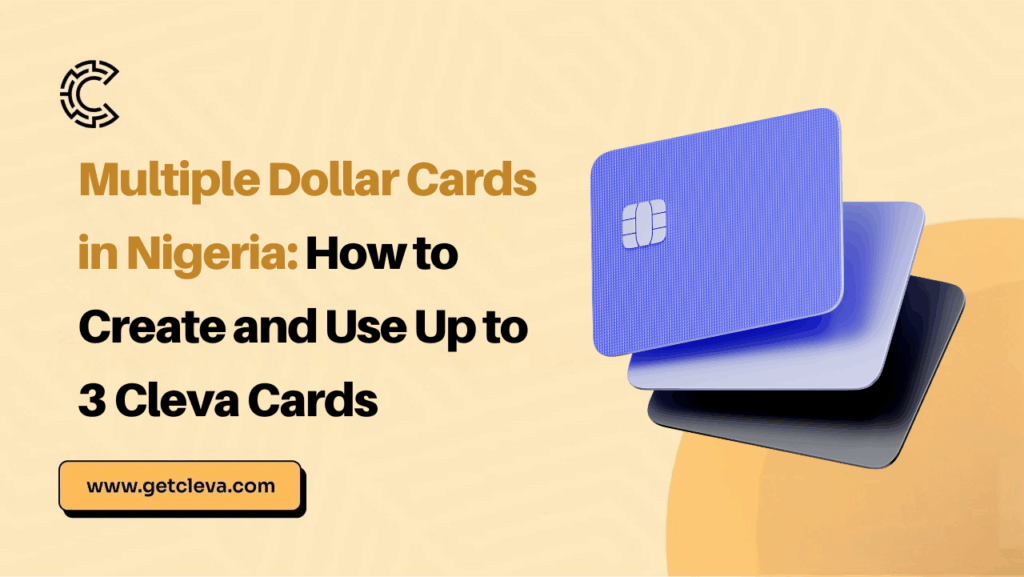
Multiple dollar cards let you create more than one Cleva Classic Card from the same Cleva account. You can create up to three cards, and you can give each card its own name, design, billing address and spending limit. Every card connects directly to your USD wallet, so you never fund each card separately.
Instead of asking one card to handle every payment, you assign each card a purpose. One card can handle subscriptions, another can handle work tools, and a third can handle shopping and travel. Because every card draws from the same USD balance, there is no extra funding step. You create a card, and you spend.
In short: multiple cards, one wallet, more ways to spend your USD your way.
According to the CBN, Nigeria received $20.93 billion in personal remittances in 2024, up 8.9% year over year.
This shows that Nigerians are receiving more dollars than ever, which makes an organised way to spend them more useful.
Why use multiple dollar cards for your spending?
One card can do a lot, but it should not have to do everything. Here are four practical ways to split your spending across multiple dollar cards.
1. Use a card to pay for entertainment
Dedicate one card to Netflix, Spotify and everything else you use to relax, watch, listen and have a little fun. When all your entertainment subscriptions sit on one card, you can see exactly what you pay for each month and cancel what you no longer use.
2. Use a card for work tools and software
Use this card for your AI tools, work subscriptions, software and other expenses that keep you working and your business moving. Keeping these payments together makes budgeting and reporting far easier.
3. Use a card for shopping and travel
Use this card for the I-want-it-I-get-it moments. Shopping, travel and the little things that make life soft belong here, away from your essential spending.
4. Use a card for your business
If you run a business, you can go further. Create separate multiple dollar cards for tools, operations and growth, then give each card a clear purpose. We cover this in more detail below.
Where Cleva users spend their dollars
Cleva card transactions show where people already spend their USD. Among businesses, Facebook, Google and Uber lead by number of transactions, while Alibaba, Facebook and Google lead by value. Among individuals, PayPal, Fiverr, TikTok, Anthropic/Claude, Facebook, Apple, Amazon, Upwork and Google are among the top platforms. Here is how those platforms map to a sensible setup of multiple dollar cards.
| Card purpose | Individuals use it on | Businesses use it on |
| Ads and social platforms | Facebook, TikTok, Google | Facebook, Google |
| AI tools and software | Anthropic/Claude | Anthropic/Claude, OpenAI, Replit, Cloudflare, Namecheap |
| Freelance, creator and marketplace payments | Fiverr, Upwork, PayPal | Upwork, PayPal, Whop, DistroKid |
| Shopping, sourcing and everyday spend | Amazon, Apple | Amazon, Alibaba, Uber |
A freelancer could dedicate one card to Fiverr and Upwork, another to AI tools, and a third to Amazon and Apple purchases. A business could run one card for Facebook and Google ads, one for software and hosting, and one for sourcing and rides. Each setup is easy to build with multiple dollar cards.
How to customise each of your multiple dollar cards
Every card you create can be made to fit its purpose. With Cleva, you can:
- Give the card a name
- Choose a custom design
- Select the billing address of your choice
- Set a spending limit
- Freeze the card when you need to, and unfreeze it when you are ready
A card named “Work Tools” and a card named “Weekend Fun” are easy to tell apart at a glance. Custom designs make that even simpler. Naming and styling your multiple dollar cards turns a messy list of transactions into a system that makes sense to you.
Benefits of using multiple dollar cards with Cleva
Having more cards is only part of the story. Here is what comes with every Cleva Classic Card you create:
- Zero decline fees. You do not pay a fee when a transaction is declined.
- Cleva Points. Earn 1 Cleva Point for every $10 you spend.
- Freeze and unfreeze. Pause a card instantly and bring it back whenever you want.
- A statement for each card. Check the transactions on every card separately, so tracking your spend is simple.
- Spending limits. Set a limit on each card so no single category runs away from you.
These benefits apply across your multiple dollar cards, which gives you flexibility and control in one place.
How to create multiple dollar cards on Cleva
Creating another card takes just a few steps. Here is how to do it in the Cleva app:
- Go to Cards.
- Tap More.
- Tap Add New Card.
- Give your card a name.
- Choose your design.
- Select your billing address.
- Create your card.
- Set your spending limit.
That is all it takes. Repeat the steps for each new card, up to three cards in total.
Multiple dollar cards for business expenses
Business spending comes from different parts of the business, so it helps to separate it. With multiple dollar cards, you can create one card for each area:
- Tools: software, AI platforms and work tools
- Operations: business purchases, team needs and supplies
- Growth: ads, marketing and other growth expenses
When each card has a clear purpose, you can spot overspending quickly, review each area on its own statement and keep your finances cleaner at the end of the month. Setting a spending limit on each card adds another layer of control.
Cleva card data points the same way: ad platforms like Facebook and Google, and AI and software tools, are among the platforms businesses use their cards on most. Many businesses start with one card for ads and another for software.
Frequently asked questions about multiple dollar cards
- How many dollar cards can I create on Cleva?
You can create up to three Cleva Classic Cards, each with its own name, design and spending limit.
- Do I need to fund each card separately?
No. Every card is connected directly to your USD wallet, so you fund one wallet and spend from any card.
- Can I set a different spending limit for each card?
Yes. You set a spending limit for every card you create, which gives you more control over how each one is used.
- Can I freeze one card without affecting the others?
Yes. You can freeze and unfreeze each card independently whenever you need to.
- Do I earn Cleva Points on every card?
Yes. You earn 1 Cleva Point for every $10 you spend, and each card has its own statement so you can track your activity.
- Can I use a different billing address on each card?
Yes. You can select the billing address of your choice when you create each card.
Conclusion
Deborah now has a card for work, a card for fun and a card for shopping and travel. Her statements are clear, her limits are set, and tax season no longer eats her weekend.
You can organise your USD spend the same way. Multiple dollar cards give you flexibility, control and a clearer view of where your money goes, all from one USD wallet.
Ready to set yours up? Create your multiple dollar cards on the Cleva app.
Share this article